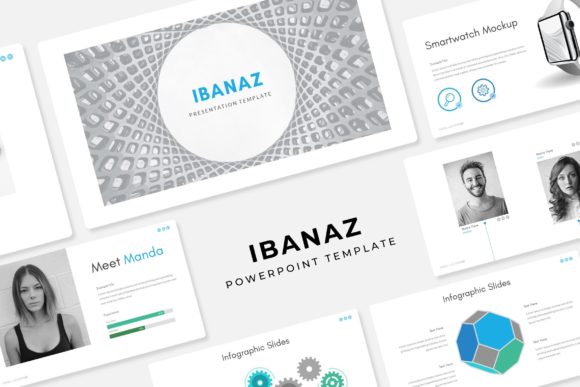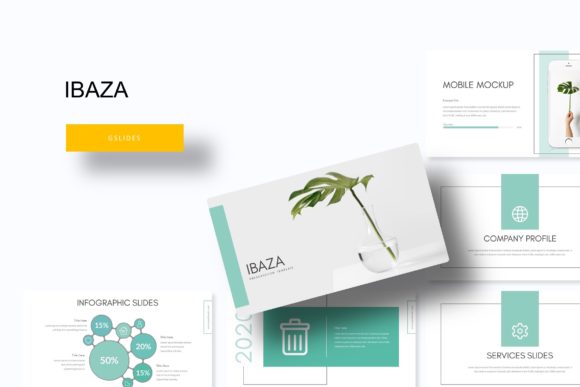
Transform Your Pitch with the Ibaza Google Slide Template
We’ve all been there: sitting in a meeting, watching a presentation where the slides are cluttered, the fonts are mismatched, and the color palette looks like it was chosen at random. It’s distracting. No matter how good the data is, the delivery falls flat. As professionals—whether we are pitching to investors, onboarding a new client, or teaching a workshop—the visual medium is the first thing our audience consumes. If the visual language isn't fluent, the message gets lost in translation. This is where the architecture of a presentation becomes just as critical as the content within it.
The Ibaza Google Slide Template addresses this disconnect by offering a robust framework that prioritizes clarity and modern aesthetics. It isn't just a collection of empty boxes for text; it is a comprehensive design system. With over 150 total slides spread across five premade color themes, it provides the variety needed to tell a complex story without repeating visual layouts. For the busy entrepreneur or the creative agency, this kind of toolkit is a lifesaver. It removes the friction of "staring at a blank page" and replaces it with a structured, pixel-perfect canvas ready for your narrative.
Why 150+ Slides Matter for Complex Storytelling
One of the most common pitfalls in presentation design is visual fatigue. When you use the same standard title-and-bullet layout for thirty minutes, your audience zones out. The human brain craves novelty and visual cues to process information. Having access to 150+ slides isn't about using them all in one sitting; it's about having the right visual metaphor for every specific point you need to make.
The Ibaza collection includes 30 unique slides for each of the five color variations. This structure allows for deep versatility. For instance, if you are a brand strategist presenting a mood board, you can use the Gallery and Portfolio slide layouts to display images side-by-side. Later in the deck, when discussing logistics or pricing, you can switch to handcrafted infographics that turn dry numbers into engaging visual stories. The inclusion of Section Break Slides is also crucial for pacing; they act as mental palate cleansers for your audience, signaling a shift in topic and allowing them to reset their focus.
For those working in editorial design or digital products, this variety is essential. A quarterly business review looks vastly different from a creative portfolio showcase. Having a library that spans both formal data visualization and creative image placement ensures that your brand voice remains consistent, regardless of the context.
Streamlining Workflow with Master Slides and Drag-and-Drop
Time is the one resource we can't manufacture. As a small business owner or content creator, you likely don't have hours to spend fiddling with text boxes and alignment guides. This is where the technical build of the Ibaza template shines. Built upon Master Slides, the template ensures that formatting changes can be made globally, saving you from the tedious task of editing every single page manually.
Furthermore, the resizable and editable graphics and picture placeholders are designed for efficiency. The "drag and drop" functionality means you can update the visual identity of the deck in minutes. If you are a marketer preparing a campaign pitch, you can simply drag your product shots into the pre-defined shapes. The template handles the cropping and sizing, ensuring your images remain sharp and pixel-perfect. This ease of use allows you to focus on the strategy and the copy, rather than fighting with the software.
The adaptability of these graphics also extends to other mediums. While the file is a PPTX (compatible with Google Slides and PowerPoint), the visual assets—like the infographics—are often reusable. A chart created for a presentation can be exported and repurposed for a blog post, a social media graphic, or a print material asset, ensuring your visual consistency across all platforms.
Color Psychology and Brand Identity
Color is rarely arbitrary in professional design; it is a psychological trigger. The Ibaza template comes with 5 premade color variations, offering a curated approach to palette selection. This is particularly helpful for those who might not have a background in color theory but want to ensure their presentation feels cohesive.
Whether you lean towards a corporate blue for trust and stability, a vibrant orange for energy and creativity, or a muted earth tone for sophistication, these templates provide a starting point that is already balanced. For branding purposes, this consistency is vital. When a client sees a slide deck that matches your logo design, website, and packaging, it reinforces brand recognition.
Consider a creative entrepreneur pitching a new product line. By selecting the color variation that best matches the product's vibe, you create an immersive experience. The background, the accent colors, and the infographic styles all work in harmony to support the product rather than distracting from it. This attention to detail signals professionalism to potential investors or partners.
Practical Applications Beyond the Boardroom
While the primary function of this asset is a presentation, the utility of a high-quality design system like Ibaza extends far beyond simple slides. Think of the slides as a repository of design assets.
- Web Design & Landing Pages: The layout grids used in the slides can serve as wireframes for landing pages. The typography pairings included in the template can guide your website’s CSS styling.
- Invitations & Editorial Layouts: The title slides often feature bold typography that is perfect for creating digital invitations or magazine-style layouts. You can export a single slide, convert it to an image, and use it as a high-resolution background for an event flyer.
- Merchandise Mockups: The Gallery slide layouts are excellent for creating quick mockups for merchandise. If you are a crafter or designer, you can place your artwork into the placeholders to show clients how it might look on a t-shirt or a poster.
The key here is viewing the PPTX files not just as a presentation tool, but as a design asset library. Because the graphics are resizable, you can scale elements up for posters or down for business cards without losing quality, provided you maintain the aspect ratios.
Typography and Readability Considerations
A common issue with many templates is poor font choice—either the fonts are too decorative to read at small sizes or they require expensive licenses. The Ibaza template takes a practical approach by utilizing free fonts. This is a massive advantage for small business owners who need to edit and share files without worrying about licensing fees or broken layouts when opening the file on different computers.
Readability is the cornerstone of effective communication. The template is designed with a clear hierarchy: bold headers to grab attention, and clean, sans-serif body text for easy scanning. When customizing your deck, adhere to this principle. Avoid the temptation to cram too much text onto a single slide. Use the infographics to visualize data instead of listing it in bullet points.
If you decide to customize the fonts to match your specific brand identity, stick to the "two-font rule"—one font for headings and one for body text. This maintains the modern typography feel of the original design while making it uniquely yours. The goal is always audience engagement; if they are squinting to read a script font on a busy background, you’ve lost them.
Maximizing Your Investment
Purchasing a template is an investment in efficiency. To get the most out of the Ibaza Google Slide Template, take the time to explore the "Readme First" file included in the package. Understanding the file structure—the difference between the standard and widescreen versions—ensures you start on the right foot.
For marketers and agencies, consider creating a "Master Deck" based on the Ibaza structure. Populate the slides with your core company messaging, standard bios, and key case studies. Then, when a new pitch comes in, you aren't starting from scratch; you are simply curating and refining an existing, beautiful framework. This approach turns a reactive design process into a proactive one, allowing you to respond to opportunities faster with polished, professional presentations.
Ultimately, the goal of any visual communication tool is to bridge the gap between your idea and your audience's understanding. By leveraging the structured flexibility, the handcrafted infographics, and the cohesive color systems of the Ibaza collection, you ensure that your message isn't just heard—it's remembered.