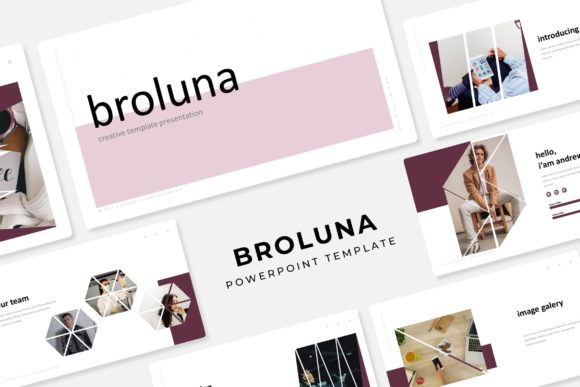
Broluna Power Point Template: Streamline Your Visual Storytelling
As a designer or business owner, you know the struggle: you have a brilliant concept, a clear message, and a tight deadline, but the blank canvas of a presentation software feels paralyzing. You need a deck that looks polished, professional, and cohesive without spending hours adjusting margins and aligning text boxes. The Broluna Power Point Template is designed to solve this exact problem, acting not just as a file, but as a comprehensive visual system for your next big pitch, workshop, or portfolio review.
Beyond Basic Slides: A Visual System for Brand Consistency
What sets Broluna apart from generic templates is its foundation in modern typography and structured design principles. It includes 150+ total slides, but the real value lies in how those slides are organized. You aren’t just getting a random collection of layouts; you are getting a toolkit built on 5 premade color variations. This is crucial for brand identity. Whether you are a small business owner presenting to investors or a marketer launching a new product, color psychology plays a massive role in how your message is received.
With 30 distinct slides for each color template, you have the flexibility to match the aesthetic to your specific project goals. The design avoids the trap of being overly flashy or distracting. Instead, it focuses on visual consistency. When your headers, body text, and graphic elements follow a strict, harmonious style guide—which Broluna provides via its Master Slides—your audience focuses on the content, not the formatting errors.
Practicality Meets Aesthetic: Infographics and Portfolio Layouts
For many entrepreneurs and content creators, the hardest part of a presentation is visualizing data. Spreadsheets are boring; bullet points are forgettable. This is where the handcrafted infographics in PowerPoint come into play. These aren't clip-art images; they are vector-based illustrations designed to make complex information digestible. Whether you are explaining a sales funnel, a manufacturing process, or a creative timeline, these graphics help improve audience engagement by breaking down barriers of understanding.
Furthermore, Broluna understands the needs of designers and agencies. The inclusion of dedicated Gallery and Portfolio slides means you can showcase your work without fighting the layout. The picture placeholders are resizable and editable, utilizing a true drag & drop functionality. This saves significant time during the editing phase. You don't need to manually crop every image to fit a specific frame; the template is designed to adapt to your content, ensuring your visuals remain pixel-perfect regardless of the aspect ratio.
The Technical Edge: Why Structure Matters
A common frustration with lower-quality templates is the lack of structure. You move one text box, and the rest of the slide collapses. Broluna is based on Master Slides, which means the layout logic is locked into the backend of the file. This ensures that if you need to make a global change—like updating a font or shifting a color tone—you can do so instantly across the entire deck. This is a massive advantage for marketing assets where brand guidelines might shift last minute.
The package is designed for immediate use. It includes 5 PPTX Files and 5 PPTX Widescreen versions, ensuring compatibility with different projector setups and screen ratios. The creators have also addressed the font licensing headache that often plagues commercial projects. The "Readme First" file includes links to download the free fonts used in the design. This transparency allows you to maintain the premium font aesthetic without worrying about hidden licensing fees for your print materials or digital products.
Real-World Applications for Your Business
Think of this template as a design asset that grows with you. It is not limited to just quarterly business reviews. Here is how you can leverage the Broluna structure across various platforms:
- Social Media Graphics: Export high-quality slides as static images to create Instagram carousels or LinkedIn posts. The clean typography ensures readability even on small mobile screens.
- Brand Pitches: Use the section break slides to clearly delineate different parts of your proposal, such as "Market Analysis," "Product Features," and "Pricing."
- Workshops and Webinars: The infographics are perfect for educational content, helping you teach concepts visually rather than just reading off text.
- Internal Training: Maintain a professional look for onboarding materials. A consistent typeface and color scheme help new hires feel like they are part of a structured organization.
- Digital Lookbooks: For crafters or hobbyists looking to sell products, the portfolio slides can serve as a digital catalog, showcasing merchandise in a sleek, editorial layout.
Matching the Template to Your Visual Goals
While the template provides the skeleton, the success of your presentation still relies on how you populate it. When using Broluna, consider the relationship between the display font provided and your imagery. The clean, modern lines of the template suggest a preference for high-resolution, uncluttered photography. Avoid using low-quality stock images that clash with the pixel-perfect illustrations included in the file.
Additionally, think about font pairing. Even though the template comes with a specific style, you may need to adapt it to your existing brand identity. If your brand uses a heavy serif font for headers, ensure it doesn't overwhelm the clean layout of the slides. Conversely, if you use a script font or handwritten font for accents, keep it limited to quotes or specific call-outs to maintain that professional presentation feel.
Ultimately, the Broluna Power Point Template serves as a bridge between your ideas and your audience. It removes the technical barriers of design, allowing you to focus on what matters: delivering a compelling message with clarity and style. Whether you are finalizing a web design proposal or preparing packaging design mockups, this toolkit provides the structure needed to present your work with confidence.
Note: All photographs or pictures used in the preview are not included, they are intended for illustration purpose only.