Zero Google Slide Template: Design Presentations That Captivate
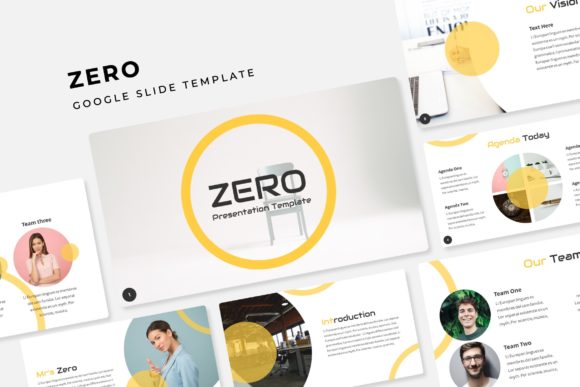
Creating a presentation that truly stands out can feel like an uphill battle. You have the data, the ideas, and the narrative, but making it visually cohesive and professional often requires design skills you might not have. This is where a robust template system changes everything. The Zero Google Slide Template isn't just another slide deck; it's a comprehensive design toolkit built for clarity, impact, and ease of use. With over 150 slides across five premade color palettes, it provides the foundation for any business, creative, or educational project you can imagine.
A Foundation for Visual Storytelling
At its core, the Zero template is built on the principle of organized flexibility. The 30 unique slide designs for each of the five color themes give you a structured yet adaptable starting point. This means you're not just picking a color; you're choosing a complete visual language for your presentation. The handcrafted infographics are a standout feature, transforming complex data into engaging visual stories. Whether you're illustrating a marketing funnel, project timeline, or sales figures, these graphics ensure your information is digestible and memorable. The section break slides provide clear narrative pauses, guiding your audience through your content with intentional pacing, much like chapters in a book.
The practicality extends to every element. Picture placeholders that allow for simple drag-and-drop functionality remove the frustration of resizing and aligning images. You can swap out stock photos for your own team shots or product images in seconds, maintaining the design's integrity. This is crucial for branding consistency across internal and external communications. Furthermore, every vector element is resizable and editable, meaning you can adjust icons, charts, and shapes to fit your specific content without losing quality. The foundation of master slides ensures that any change you make to fonts, colors, or logo placement updates uniformly throughout the entire deck, saving you hours of manual adjustments.
Beyond the Slideshow: Diverse Creative Applications
While designed for presentations, the components of the Zero template are versatile design assets. Consider the portfolio and gallery slides. These layouts are perfect for creating lookbooks, showcasing client work, or even designing a simple digital catalog for your products. A graphic designer can use them to present a branding project, while a photographer could compile a series of images for a client proposal. The clean, modern aesthetic lends itself well to editorial layouts for digital magazines or e-books.
Think of the individual elements as part of your broader brand identity toolkit. The icons and infographics can be exported and adapted for use in social media graphics, giving your Instagram stories or LinkedIn posts a consistent, professional feel that aligns with your presentations. The color palettes themselves can inform your website design or packaging design, ensuring a seamless visual experience for your customers across all touchpoints. For entrepreneurs creating marketing assets like one-pagers or proposal documents, the structured layouts provide a reliable framework for presenting information clearly and persuasively.
Practical Advice for Implementation
Getting the most out of a template like this involves a bit of strategy. First, choose your color theme based on the project's goal and audience. A bold, high-contrast palette might be ideal for a tech startup pitch, while a softer, more muted scheme could suit a wellness brand or educational workshop. Don't feel locked into the initial selection; the five premade options allow you to test different moods quickly.
When customizing, focus on maintaining visual hierarchy. Use the provided layouts to guide the viewer's eye from the main headline to supporting points and data. The pixel-perfect illustrations are designed to complement, not compete with, your text. A common mistake is overcrowding slides. Trust the whitespace built into the template—it's there to improve readability and audience engagement.
For font pairings, the template's readme file is your best friend. It specifies the fonts used (with free download links), allowing you to extend that typographic consistency to other documents like proposals, invoices, or website headings. Using the same sans-serif font for body text and a complementary display font for titles across all your materials strengthens brand recognition. Before finalizing, always test your presentation on the actual device and in the actual room where you'll be presenting. Check that text is legible from the back row and that colors render correctly on the projector or screen.
Finally, be mindful of commercial licensing. The assets included are licensed for use in your projects, but the preview photographs are not. Always source your own high-quality images from reputable stock sites or use your own photography to ensure you have full rights. This template provides the professional skeleton; your unique content and imagery give it life.
Efficiency Meets Professional Polish
The true value of the Zero Google Slide Template lies in its ability to democratize professional design. It eliminates the guesswork and the "blank page" anxiety, providing a polished starting point that you can make your own. Whether you're a small business owner preparing a crucial investor pitch, a marketer developing a campaign strategy, or a teacher creating an engaging lesson plan, this system respects your time while elevating your output. The result is a presentation that doesn't just share information—it communicates competence, clarity, and attention to detail, helping you connect with your audience on a more impactful level.