Transform Your Next Presentation with Slidecraft Keynote
We have all been there. You have a big pitch, a critical team update, or a creative project to present, and the thought of starting with a blank slide deck feels paralyzing. The default templates are uninspired, and building something visually compelling from scratch is a time-sink most of us cannot afford. What if you could start with a foundation that was already polished, professional, and packed with creative possibilities? This is where the Slidecraft Keynote Template enters the picture, offering a robust toolkit designed to turn your ideas into visually stunning narratives.
A Foundation of Flexibility and Color
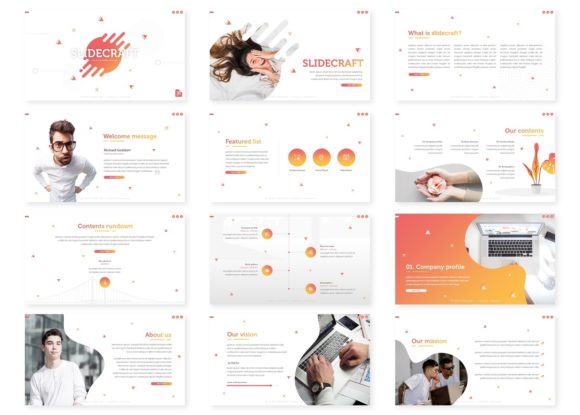
At its core, the Slidecraft template is built on the principle of organized variety. With over 150 total slides, it provides a massive library of layouts to cover virtually any presentation need. But the real genius is in its structure: five distinct, premade color palettes are included, each containing 30 meticulously designed slides. This means you are not just getting one template; you are getting five cohesive visual identities to choose from right out of the gate. Whether your brand is bold and energetic, clean and corporate, or soft and creative, there is a color story ready to support your message. This approach eliminates the guesswork of color theory and ensures your entire presentation feels intentional and harmonious from the first slide to the last.
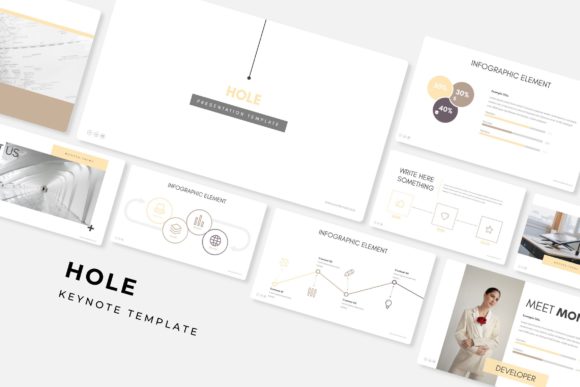
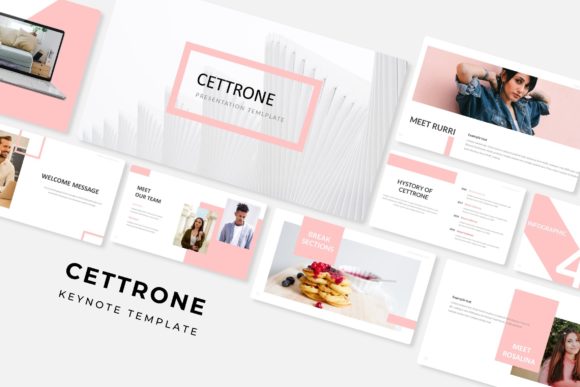
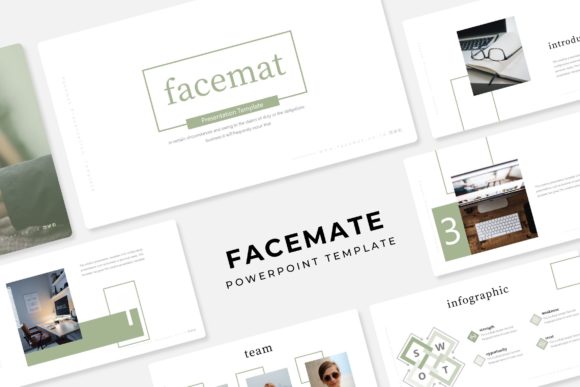
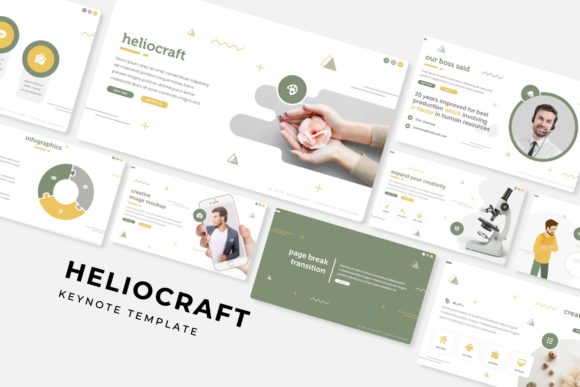
The design philosophy extends beyond static layouts. Each set includes handcrafted infographics that transform complex data into digestible, engaging visuals. Instead of a confusing table of numbers, you can present a clear chart or a step-by-step process diagram that tells a story. Section break slides provide a natural pause in your narrative, helping your audience mentally reset and follow the structure of your argument. For those in creative fields, the dedicated gallery and portfolio slides are a game-changer. They offer a clean, grid-based framework to showcase your work, whether it is graphic design samples, product photography, or past project highlights. The visual appeal is undeniable—pixel-perfect illustrations and modern typography come together to create a polished, professional aesthetic that immediately elevates your credibility.
Practical Power for Real-World Projects
The true value of a design asset like the Slidecraft Keynote Template lies in its practical application across diverse projects. It is more than just a pretty face; it is a functional tool for visual communication. For entrepreneurs and small business owners, it can become the backbone of your branding toolkit. Use the consistent slide designs to create investor pitch decks that tell a compelling story, develop clear training manuals for new hires, or craft marketing presentations that align perfectly with your brand identity. The visual consistency across all slides reinforces brand recognition every time you present.
Content creators and marketers will find it indispensable for developing social media graphics and digital products. Imagine designing a series of Instagram carousel posts or a downloadable PDF guide using the same visual language as your main presentation. The included picture placeholders, which support drag-and-drop functionality based on master slides, make it incredibly easy to swap out images without breaking the layout. This means you can quickly generate on-brand graphics for blogs, websites, or online ads. For those involved in packaging design or editorial layouts, the template’s clean lines and balanced compositions can inspire print materials, poster designs, or even the interior pages of a lookbook. The resizable and editable graphic elements ensure that every asset you create is crisp and scalable, whether it is viewed on a tiny smartphone screen or a large projector.
Making It Your Own: Customization and Considerations
Getting started with Slidecraft is designed to be straightforward. The package includes five PPTX files (standard and widescreen formats), each corresponding to one of the premade color themes. A detailed readme file is your first stop, guiding you through the initial setup. A key consideration for any designer is typography, and this template thoughtfully includes links to download the free fonts used in the preview. This ensures that what you see in the demo is exactly what you can achieve, with no missing font errors or last-minute substitutions that disrupt your design.
When customizing, think about your project’s specific goals. The template’s modern, clean sans-serif fonts are excellent for readability in business and tech contexts, but don’t be afraid to experiment with font pairings. You might introduce a complementary serif font for headings in a more traditional or editorial project, or a handwritten script font for personal, creative invitations. Always test your chosen typography on different devices and in different lighting conditions to ensure it remains legible. Remember, the goal is to enhance your message, not distract from it. The master slide structure is your best friend here—making a change on the master slide propagates it throughout the entire presentation, guaranteeing consistency and saving you hours of manual editing.
A final, crucial note on usage: while the template itself is a commercial design asset, the preview images and photographs used for illustration are not included. This is a standard practice, reminding us to source our own high-quality imagery that aligns with our brand or to use the powerful portfolio slides to display our own work. This practice not only keeps your content original but also ensures you have the proper rights for all visual elements in your final presentation.
Ultimately, a tool like the Slidecraft Keynote Template is about empowering you to communicate with clarity and confidence. It removes the friction of starting from zero and provides a professional canvas upon which you can build your unique narrative. By focusing on your content and leveraging the template’s robust design framework, you can create presentations that are not only informative but genuinely memorable, helping you connect with your audience on a visual level and achieve your communication goals more effectively.