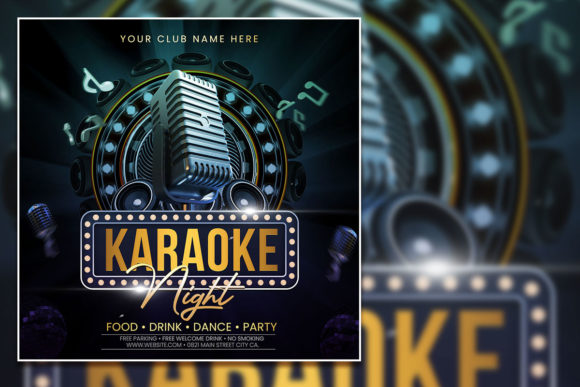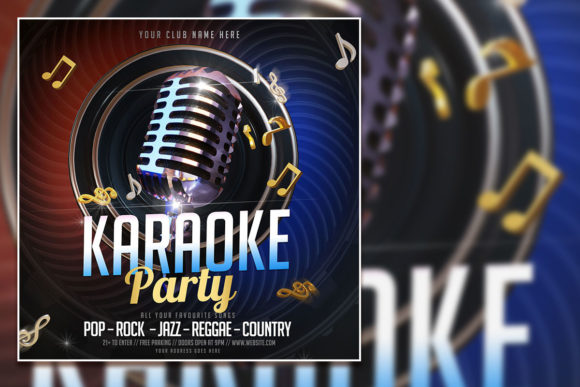
Design a Show-Stopping Modern Karaoke Party Flyer
There’s a unique energy to a great karaoke night or a live podcast recording—the anticipation, the spotlight, the shared experience. Capturing that vibrant, social atmosphere in a single visual is the key to a successful promotion. A Modern Karaoke Party Social Media Post template isn't just a pre-made design; it's a strategic starting point. It provides the professional structure and visual flair needed to immediately communicate the event's vibe, saving you hours of design work while ensuring your promotion looks polished and inviting from the first glance.
Imagine you're a small business owner planning a grand opening with a live podcast element, or a community organizer hosting a charity karaoke fundraiser. The last thing you want is a generic, forgettable flyer. This is where a high-quality, editable template becomes invaluable. Designed with modern aesthetics in mind—think bold typography, dynamic layouts, and a balanced mix of text and imagery—it’s built to stop the scroll on social media and grab attention on a bulletin board. The template acts as your creative foundation, allowing you to inject your brand's personality and event specifics without starting from a blank canvas.
Beyond the Microphone: Versatile Applications for Creators
While its name highlights karaoke and podcasts, the true power of this template lies in its adaptability. The core design principles—a clear hierarchy of information, engaging visual flow, and a celebratory tone—apply to a wide range of projects. Consider using this editable PSD template for:
- Brand Launch Events: A talk show-style format is perfect for introducing a new product or service, creating an engaging "reveal" atmosphere.
- Content Creator Meetups: Promote a live recording session for your YouTube channel or a fan Q&A, using the podcast template structure to highlight guest speakers.
- Workshop & Seminar Promotion: Frame an educational workshop as an interactive "talk show" to make learning feel more dynamic and accessible.
- Community Gatherings: Adapt the design for open mic nights, poetry slams, or local talent showcases, using the customizable layers to feature performer names or themes.
- Digital Product Marketing: Use the template's structure to create announcement graphics for a new online course, webinar series, or membership launch.
The 2000x2000 pixel square format is inherently versatile, optimized perfectly for Instagram posts, Facebook event covers, and other social media graphics. Yet, with its 300 DPI resolution and RGB color mode, it’s equally suited for high-quality print materials like posters, flyers, and invitations. This dual-purpose capability ensures your visual branding remains consistent across both digital and physical marketing assets.
Mastering the Edit: A Practical Guide to Customization
The real value of a professional template is unlocked in the editing process. This kit, which includes an organized PSD file, a ready-to-use JPG, and a helpful TXT file, is designed for straightforward customization in Adobe Photoshop. Here’s how to approach it for maximum impact:
- Establish Your Visual Identity: Before opening the file, have your brand colors and primary imagery ready. The first step is to replace the placeholder photo with your own high-quality image—a performer in action, your podcast host, or a relevant thematic shot. This immediately personalizes the design.
- Typography as a Voice: The template comes with a suggested font, but the fully editable text layers mean you are in complete control. The included help file with the download link is crucial here. If the provided font doesn't match your brand's voice, select the text layer with the text tool and replace it with a typeface that does. For a modern karaoke event, a bold sans serif font paired with a complementary script font for accents can create a perfect balance of energy and elegance.
- Information Hierarchy is Key: Use the existing layout as a guide. Ensure the event name (e.g., "Friday Night Karaoke Blast") is the most prominent element. The date, time, and venue should be clearly legible. Adjust the size, weight, and spacing of text elements to guide the viewer's eye naturally from the headline to the crucial details.
- Color Psychology: The RGB color mode allows for vibrant, screen-friendly hues. Align the template's color palette with your brand identity. Deep blues and purples can evoke a sophisticated lounge vibe, while bright pinks and yellows scream party energy. Consistency in color reinforces brand recognition.
Remember, the goal is not to overhaul the design but to refine it. The professional structure is already there; your edits should focus on making it uniquely yours. Test different font pairings within the PSD file—swap a serif for a sans serif, or try a handwritten font for a casual, friendly touch—to see what resonates best with your target audience.
From Screen to Stage: Ensuring Professional Impact
A well-designed promotional asset does more than just inform; it builds credibility and sets expectations. A polished, cohesive flyer signals that the event itself will be well-organized and worthwhile. This principle of visual consistency extends beyond a single post. By using this template as a base, you can create a suite of matching materials—social media stories, email headers, and even simple table tents for the venue—reinforcing your brand identity at every touchpoint.
For entrepreneurs and marketers, this approach is a practical application of strong brand identity work. It demonstrates attention to detail and an understanding of how design influences perception. When your audience sees a professional, engaging graphic, they're more likely to trust the quality of the event and, by extension, your brand. Whether you're promoting a one-off celebration or a recurring series, starting with a robust, editable template like this ensures your first impression is a powerful one, turning casual viewers into excited attendees.