Creating Buzz-Worthy Spring Break Party Social Media Posts
Spring break isn't just a time for students to unwind; it's a massive marketing opportunity for businesses, event organizers, and content creators. A well-designed social media post can mean the difference between a packed venue and a quiet night. The visual language of spring—think pastel gradients, bold floral motifs, and energetic typography—immediately communicates the vibe of fun, renewal, and celebration. But capturing that energy in a single square or vertical frame requires more than just a good photo. It demands a strategic approach to layout, color, and text placement that stops the endless scroll.
The core challenge is standing out in a saturated feed. Everyone is posting about spring events, so your design needs to feel both fresh and instantly recognizable as belonging to your brand. This is where a professionally crafted editable template becomes a secret weapon. Instead of starting from a blank canvas, you begin with a foundation designed for engagement, allowing you to focus on customization rather than construction.
Why a Pre-Designed Template Accelerates Your Creative Process
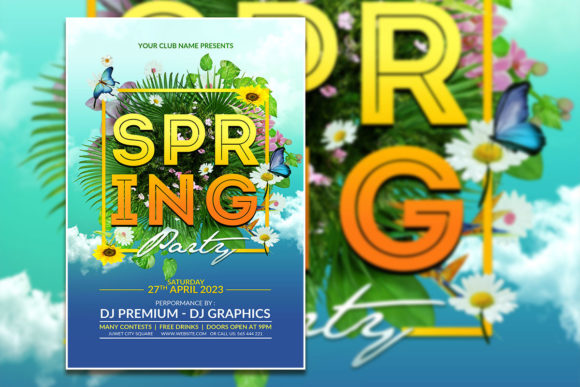
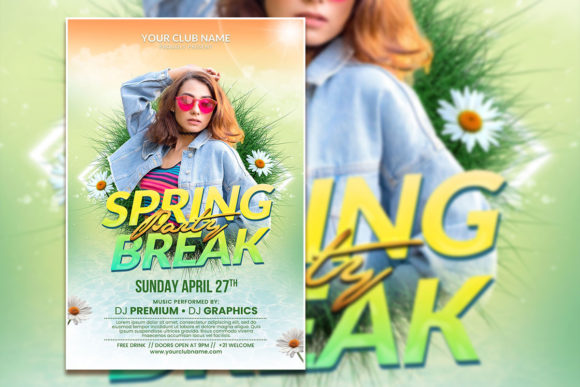
For the small business owner or solo content creator, time is the most valuable resource. Designing a high-impact social media graphic from scratch in Photoshop can take hours—experimenting with layouts, testing color combinations, and fine-tuning typography. A fully editable Spring Break Party Social Media Post template, delivered as a layered PSD file, eliminates that guesswork. You receive a file with organized layers, meaning every element—from the background pattern to the headline text—is on its own layer, ready to be manipulated independently.
This structured approach is about efficiency, not shortcuts. The template provides a proven visual hierarchy that guides the viewer's eye from the headline to the key details (like date, time, and location). You're not just getting a pretty picture; you're getting a strategic marketing asset. The 2000x3000 pixel dimension at 300 dpi in RGB color mode ensures your graphic is optimized for both high-quality digital display and potential print reproduction, like posters or flyers. This versatility is crucial for cohesive branding across multiple platforms.
Customization: Making the Template Uniquely Yours
The true power of an editable PSD template lies in its flexibility. "Fully editable" means exactly that. Every piece of text is set with the Photoshop text tool, allowing you to change the wording, font, size, color, and spacing to match your brand's voice. If the included font doesn't resonate with your aesthetic, you can easily swap it out for a premium font from your library—perhaps a playful script font for a pool party vibe or a clean sans-serif for a more sophisticated rooftop event.
Visual customization goes beyond text. The instruction to "replace the photo with your photo" is a game-changer. You can drop in your own high-resolution image of your venue, your team, or a stock photo that perfectly captures the spring break energy you're selling. With organized layers, you can adjust the opacity of overlays, change the color of graphic elements, or even remove components that don't fit your vision. This level of control transforms a generic template into a core piece of your brand identity, ensuring visual consistency across your spring campaign.
Strategic Applications Beyond the Instagram Feed
While designed as a social media post, the utility of this asset extends far beyond a single Instagram story. The included JPG file is ready for immediate upload, but the PSD master file is your key to multi-channel marketing. Here’s how to leverage it across your entire spring event promotion:
- Digital Invitations & Email Headers: Resize and repurpose the design for email marketing campaigns or digital invitations sent via platforms like Evite or Paperless Post.
- Website Banners & Blog Graphics: Adapt the layout to create a compelling hero image for your event page or a featured graphic for a related blog post about "Top Spring Break Activities."
- Print Materials: Thanks to the high resolution, you can confidently use the design for printed flyers, posters, or even table tents at your establishment. The organized layers make it simple to adjust the layout for different print dimensions.
- Digital Product Packaging: If you're selling tickets or a spring-themed digital product, use the graphic as part of your sales page or as a cover image for the product listing.
- Merchandise Mockups: Use the graphic as a central motif in mockups for promotional merchandise like t-shirts or tote bags, creating a cohesive visual campaign.
This approach to asset management—creating one core design and adapting it—saves immense time and strengthens brand recognition. Your audience will start to associate the specific color palette and style of your Spring Break Party Social Media Post with your upcoming event, building anticipation through visual repetition.
Practical Tips for a Polished Final Product
Before you export your final design, run through this quick checklist to ensure professional quality and maximum impact.
Typography Check: Read every line of text on a mobile-sized preview. Is the main headline legible? Are the event details clear? When pairing fonts, aim for contrast—a bold display font for the headline paired with a highly readable sans-serif for the details works well. Ensure your chosen fonts are licensed for commercial use if you're promoting a business event.
Visual Harmony: Does your replacement photo complement the template's existing color scheme? You may need to use Photoshop's adjustment layers (like Hue/Saturation or Color Balance) to make your image blend seamlessly with the template's overlays and graphics.
Call to Action Clarity: What do you want the viewer to do? "Get Tickets," "Learn More," "Tag a Friend." Make sure this call to action is prominent and easy to find within the design. A well-placed button graphic or bold text can significantly increase engagement.
Platform Optimization: While the template is a specific size, consider how it will crop on different platforms. Instagram's feed, stories, and Reels all have different safe zones. You might create a few versions, adjusting the element placement slightly to ensure key information isn't cut off.
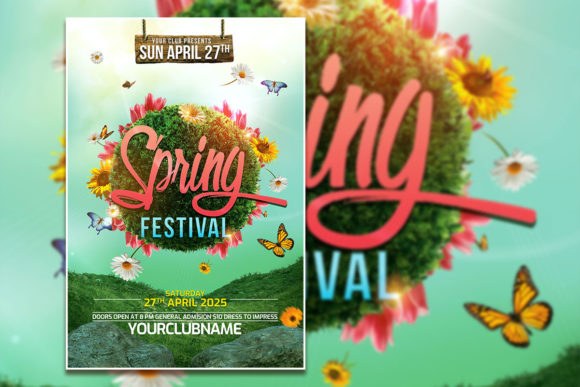
By starting with a robust, editable foundation like this Spring Festival Flyer Template, you're not just creating a post—you're building a versatile marketing tool. It empowers you to produce consistent, high-quality visual content that captures the festive spirit of spring and drives real results for your event or business, all without needing a degree in graphic design. The result is a professional presentation that engages your audience and leaves a lasting impression.