Craft a Stunning Modern Valentine's Poster Template for Any Event
February 14th is a commercial goldmine, but standing out in a sea of generic hearts and roses requires a sharper approach. If you are promoting a gala, a restaurant special, or a singles mixer, you need a design asset that balances romance with professionalism. A Modern Valentine's Poster Template is not just a pre-made image; it is a strategic tool for visual communication. By utilizing a fully editable PSD file, you bridge the gap between high-end design and the practical needs of a business owner or event planner. The goal is to create a visual hook that captures the mood of the celebration while clearly communicating the event details.
The Anatomy of a High-Impact Celebration Editable PSD Template
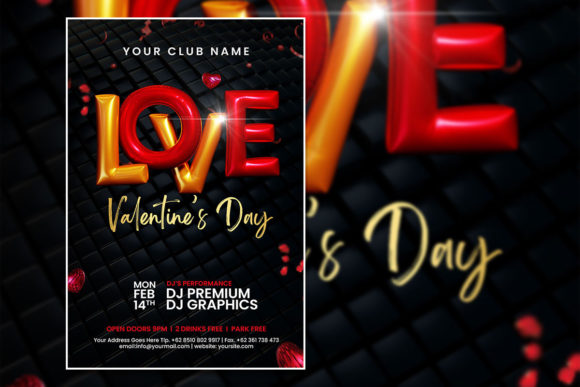
When we talk about a "modern" aesthetic in design, we are referring to clean lines, intentional negative space, and typography that speaks volumes without shouting. This specific Valentine’s Flyer Template is built on a 2000 x 3000 pixel canvas with a 300 dpi resolution. For those less familiar with technical specs, this means your final product is crisp enough for both high-resolution digital screens and physical print runs. The RGB color mode ensures vibrant reds, deep pinks, and moody blacks look exactly as intended on monitors and social media feeds, which is crucial for digital marketing.
The true value of this asset lies in its versatility. It is not a static image; it is an organized PSD file. This means the layers are separated, allowing you to isolate specific elements. Want to move the date to the top? Easy. Need to change the background texture? Done. This level of control is essential for anyone managing a brand identity. You can ensure that the poster aligns with your company’s color palette and existing visual consistency, rather than forcing your brand to fit into a rigid template.
Practical Applications: Beyond the Event Invitation
While the primary function of this file is an event invitation, the versatility of a Photoshop Template extends far beyond a single party. As a designer or entrepreneur, you can repurpose this layout for various marketing assets throughout the season.
- Social Media Graphics: Resize the 4:6 layout to fit Instagram Stories or Facebook Event covers. The high resolution allows you to crop in tight on specific design elements without losing quality.
- Menu Design: If you run a bakery or a bistro, use the template’s layout to design a special "Valentine’s Menu." The organized layers allow you to swap out the central image for a photo of your signature dish.
- Digital Products and Web Design: Use the aesthetic elements as a hero image for a landing page. A modern typography style paired with romantic imagery works well for email headers or digital download covers for planners and journals.
- Print Materials: Because of the 300 dpi setting, this file is ready for professional printing. It works perfectly for flyers, posters, and even small merchandise like stickers or postcards.
Customization: Making the Design Your Own
The instruction "All text can be edited" is the most powerful feature of this download. A common pitfall in using templates is ending up with a design that looks "stock." To avoid this, you need to treat the text as a core component of your brand recognition.
When you open the file in Adobe Photoshop, select the text tool. If the current font style doesn't match your brand, simply highlight the text and type in the name of your preferred typeface. If you are a luxury brand, you might swap the default for a high-contrast serif font. If you are a tech startup hosting a mixer, a clean sans serif font might be more appropriate. The template serves as the structural skeleton, but your typography choices provide the voice.
Don't underestimate the power of the imagery replacement feature. The prompt suggests replacing the photo with your own, and this is where you can truly differentiate your marketing. A stock photo of a couple is generic; a photo of your venue, your specific product, or a model representing your target demographic is specific. This specificity builds trust and improves audience engagement.
Technical Execution for a Professional Presentation
For those worried about the learning curve, the process is designed to be accessible. You do not need to be a senior creative director to edit a Photoshop (PSD) file. The "Organized Layer" structure mentioned in the file description is a lifesaver. It means the designer who created the file grouped elements logically (e.g., "Background," "Text," "Graphics"). This prevents the frustration of accidentally moving the wrong element.
Consider the font pairing when you make your edits. If you change the main headline, ensure the sub-text still complements it. A good rule of thumb is to pair a decorative or script font for the main "Valentine's" header with a more legible, sturdy font for the date and address details. This ensures readability remains high, which is the ultimate goal of any flyer.
Strategic Branding for the Holiday
Using a Modern Valentine's Poster Template is an exercise in efficiency. For small business owners and content creators, time is a finite resource. Instead of commissioning a custom illustration from scratch, you are utilizing a premium font and layout structure that has already been tested for visual balance.
This approach allows you to focus on the strategy rather than the pixels. Ask yourself: Does this poster clearly state the "What, Where, and When"? Does the color mode match my digital strategy? Does the image replacement look seamless? By answering these questions and leveraging the editable nature of the PSD file, you create a marketing asset that feels bespoke, professional, and ready to drive results for your celebration.